Protect Your Eyes from All-Day Screens: Practical Steps to Beat Digital Strain
How to Protect Your Eyes While Using Screens All Day: A Simple Guide How to Protect Your Eyes While Using Screens All Day: Your Essential Guide In today’s digital world, screens are everywhere. From work to entertainment, many of us spend hours each day looking at computers, phones, and tablets. This constant screen time can […]

How to Protect Your Eyes While Using Screens All Day: Your Essential Guide
In today’s digital world, screens are everywhere. From work to entertainment, many of us spend hours each day looking at computers, phones, and tablets. This constant screen time can lead to tired, dry, or strained eyes—a common issue known as digital eye strain. But don’t worry! You don’t have to choose between your screen time and your eye health. This guide will show you exactly how to protect your eyes while using screens all day, with simple, actionable steps that make a real difference.
Quick Summary: Key Ways to Protect Your Eyes
- Take regular breaks using the 20-20-20 rule.
- Optimize your screen’s position and your surrounding lighting.
- Consider blue light filters and remember to blink often.
Step-by-Step Instructions to Protect Your Eyes While Using Screens All Day
Here’s a simple breakdown of how you can actively protect your vision and reduce discomfort, making your screen time much more comfortable.
-
Master the 20-20-20 Rule
This is perhaps the most effective and easiest habit to adopt. Digital eye strain often comes from staring too long at one distance without a break. The 20-20-20 rule helps prevent this by giving your eyes a mini-vacation.
- How it works: Every 20 minutes, look away from your screen at something 20 feet (about 6 meters) away for at least 20 seconds.
- Why it helps: This simple action allows the muscles inside your eyes to relax and refocus, reducing fatigue and preventing your eyes from getting “stuck” in a near-focus position.
- Practical Tip: Set a timer or use an app that reminds you to take these short breaks throughout your day.
-
Optimize Your Screen Setup
The way your screen is positioned can greatly impact your eye comfort. Adjusting a few things can make a big difference.
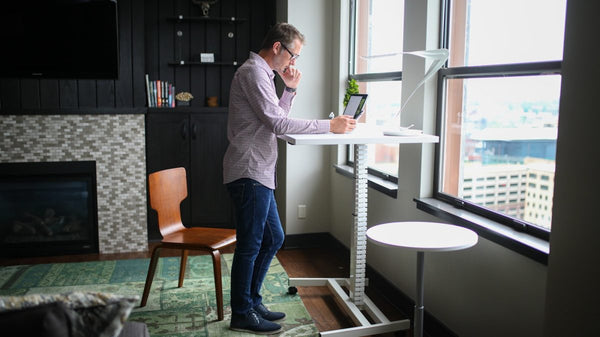
- Screen Distance: Position your screen about 20 to 28 inches (50 to 70 cm) away from your eyes. This is roughly an arm’s length. If it’s too close, your eyes work harder to focus; too far, and you might squint.
- Screen Height: The top of your screen should be at or slightly below eye level. This allows you to look slightly downward, which is a more natural and comfortable angle for your neck and eyes.
- Clean Your Screen: Dust, smudges, and fingerprints on your screen can reduce clarity, forcing your eyes to strain more to read text or see images. Make it a habit to gently wipe your screen clean with a microfiber cloth regularly.
-
Adjust Lighting and Screen Brightness
The lighting around you and on your screen plays a crucial role in eye comfort. Improper lighting can cause glare or make your eyes work harder.
- Room Lighting: Avoid overly bright overhead lights or windows directly behind or in front of your screen, as they can create glare. Use soft, ambient lighting in your workspace. A desk lamp that shines indirectly onto your work area (not directly onto the screen) can be helpful.
- Screen Brightness: Match your screen’s brightness to the brightness of your surroundings. If your screen looks like a light source in a dim room, it’s too bright. If it looks dull and hard to see, it’s too dim. Most devices have automatic brightness adjustments, but you can also fine-tune this manually.
- Contrast Settings: Ensure your screen’s contrast is set comfortably. Black text on a white background is generally easiest to read.
-
Consider Blue Light Protection
Screens emit blue light, and while its long-term effects on eye health are still being studied, many people find that reducing blue light exposure improves comfort, especially in the evening.
- Software Filters: Many operating systems (like Windows Night Light, macOS Night Shift, and f.lux for all platforms) offer built-in blue light filtering. These features typically shift your screen’s color temperature to a warmer hue after sunset.
- Blue Light Blocking Glasses: These glasses have special lenses designed to filter out a portion of blue light. Some people find them helpful for reducing eye fatigue and improving sleep quality when using screens at night.
- Monitor Settings: Some newer monitors come with a “low blue light” mode you can activate directly from the display settings.
-
Remember to Blink Regularly
When we focus intensely on a screen, our blink rate often decreases significantly. Blinking is vital because it replenishes the tear film, keeping your eyes moist and clear.
- Conscious Blinking: Make a conscious effort to blink fully and frequently while working on screens. You might even pause for a moment to close your eyes completely, squeeze them gently, and then open them for a refreshing feeling.
- Artificial Tears: If you experience persistent dry eyes, over-the-counter artificial tears can provide relief. Consult with an eye care professional if dryness becomes a chronic problem.
-
Prioritize Regular Eye Exams
Even with the best practices, regular professional check-ups are essential for maintaining overall eye health. An eye doctor can detect underlying issues and provide personalized advice.
- Annual Check-ups: Schedule comprehensive eye exams regularly, ideally once a year. Your optometrist or ophthalmologist can check for vision changes, assess your eye health, and offer tailored recommendations for managing screen use.
- Corrective Lenses: Ensure your eyeglasses or contact lens prescription is up-to-date. Using an incorrect prescription can contribute significantly to eye strain.
-
Stay Hydrated and Eat Well
Good general health habits also contribute to healthy eyes. Your eyes, like the rest of your body, benefit from proper nutrition and hydration.
- Drink Water: Staying well-hydrated is crucial for tear production and overall eye comfort.
- Nutrient-Rich Diet: Incorporate foods rich in Omega-3 fatty acids (like fish), antioxidants (found in colorful fruits and vegetables), and vitamins A, C, and E. These nutrients support various aspects of eye health.
Tips & Common Mistakes When Protecting Your Eyes
Helpful Tips:
- Enlarge Text: Don’t hesitate to increase font size on your screen. Larger text is easier to read and reduces strain.
- Use a Document Holder: If you’re frequently looking between a physical document and your screen, use a document holder positioned at the same height and distance as your monitor to minimize head and eye movements.
- Humidify Your Space: Dry air from heating or air conditioning can exacerbate dry eyes. A humidifier can add moisture to the air and improve comfort.
Common Mistakes to Avoid:
- Ignoring Symptoms: Don’t push through eye discomfort, headaches, or blurred vision. These are signals your eyes need a break or an adjustment.
- Not Taking Breaks: Believing you’re too busy for the 20-20-20 rule is a common trap. Short breaks actually boost productivity by refreshing your focus.
- Using the Wrong Prescription: Wearing outdated glasses or contacts can significantly worsen eye strain. Always use your most current prescription.
- Rubbing Your Eyes: While it might feel good momentarily, rubbing your eyes can irritate them further and potentially introduce germs.
Key Takeaways: How to Protect Your Eyes While Using Screens All Day
Protecting your eyes from digital strain is achievable with consistent effort. Remember to regularly take breaks, optimize your screen and lighting, and keep your eyes moist. These simple habits are key to maintaining long-term eye health.
Frequently Asked Questions
What is the easiest way to How to Protect Your Eyes While Using Screens All Day?
The easiest and most impactful way is to consistently apply the 20-20-20 rule: every 20 minutes, look at something 20 feet away for 20 seconds. This simple practice significantly reduces eye fatigue and helps you protect your eyes while using screens all day.
How long does it take to How to Protect Your Eyes While Using Screens All Day?
Protecting your eyes while using screens all day isn’t a one-time fix; it’s an ongoing practice. You’ll start to feel the benefits of reduced strain and increased comfort almost immediately after implementing tips like the 20-20-20 rule or adjusting screen brightness. Long-term benefits accumulate over weeks and months of consistent application.
Does screen time permanently damage eyes?
Current research generally suggests that while prolonged screen time can lead to digital eye strain, dryness, and temporary blurred vision, it typically does not cause permanent damage to your eyes. However, the long-term effects of blue light exposure are still under investigation. Following these protective steps is crucial for preventing discomfort and maintaining overall eye health.
Conclusion
Taking care of your eyes while living in a screen-centric world is not just possible—it’s essential. By adopting these practical steps, you can significantly reduce digital eye strain and ensure your eyes stay comfortable and healthy. Make these adjustments a part of your daily routine, and you’ll be well on your way to enjoying your screen time without the discomfort. Your eyes will thank you!
Looking for more inspiration? Explore the full Mavigadget Gift Ideas Collection for creative solutions.
Filed under
Written by
Cloe
Health & Fitness, MaviGadget
Cloe writes for the MaviGadget Journal, testing the gadgets that promise to change your day and reporting honestly on the ones that actually do.