How to Avoid Back Pain From Sitting All Day: Your Step-by-Step Solution
How to Avoid Back Pain From Sitting All Day: Your Complete Guide How to Avoid Back Pain From Sitting All Day: Your Complete Guide Spending long hours sitting, whether at a desk, in a car, or on the couch, has become a common part of modern life. Unfortunately, this can often lead to uncomfortable back […]

How to Avoid Back Pain From Sitting All Day: Your Complete Guide
Spending long hours sitting, whether at a desk, in a car, or on the couch, has become a common part of modern life. Unfortunately, this can often lead to uncomfortable back pain. If you’re tired of stiffness and aches, you’re in the right place. This guide will walk you through simple, actionable steps on how to avoid back pain from sitting all day, helping you reclaim comfort and improve your well-being.
Quick Summary: Your Path to a Pain-Free Back
Preventing back pain from prolonged sitting doesn’t require drastic changes. Focus on these key areas:
- Perfect Your Posture: Sit smart to support your spine.
- Move More, Sit Less: Break up long sitting periods with regular movement.
- Optimize Your Space: Set up your workstation to work with, not against, your body.
Step-by-Step Guide: How to Avoid Back Pain From Sitting All Day
Follow these steps to transform your sitting habits and effectively avoid back pain from sitting all day.
Step 1: Master Proper Sitting Posture
Good posture is your first line of defense. It helps align your spine naturally and reduces strain.
- Sit Tall and Straight: Imagine a string pulling you gently upwards from the crown of your head. Keep your shoulders relaxed and pulled slightly back, not hunched forward.
- Keep Your Feet Flat: Your feet should be flat on the floor or a footrest. Avoid crossing your legs, as this can misalign your hips and spine.
- Support Your Lower Back: Your chair should provide good lumbar support. If it doesn’t, use a rolled-up towel or a small cushion to support the natural curve of your lower back.
- Keep Hips and Knees Aligned: Your hips should be slightly higher than or at the same level as your knees. Ensure there’s a small gap between the back of your knees and the chair.
Step 2: Take Frequent Movement Breaks
Even perfect posture can’t prevent issues if you stay static for too long. Regular movement is crucial.
- Stand Up Every 30-60 Minutes: Set a timer or use an app to remind you. Simply standing up and stretching for a minute or two can make a big difference.
- Walk Around: Take short walks during breaks. Go to the water cooler, visit a colleague, or just walk a lap around your office or home.
- Perform Simple Stretches: Gentle stretches for your neck, shoulders, and back can relieve tension. Try shoulder rolls, neck tilts, or a gentle seated back twist.
Step 3: Optimize Your Ergonomic Workspace Setup
Your environment plays a huge role in your comfort. An ergonomic setup minimizes strain.
-
Adjust Your Chair:
- Height: Your arms should be at a 90-degree angle when typing, with your wrists straight. Your feet should be flat on the floor.
- Armrests: Adjust them so your arms are gently supported, not shrugging your shoulders.
- Backrest: Ensure it supports the natural curve of your spine, especially your lower back.
-
Position Your Monitor:
- Eye Level: The top of your screen should be at or slightly below eye level. This prevents neck craning.
- Arm’s Length: Position the monitor roughly an arm’s length away from you.
- Keyboard and Mouse Placement: Keep them close to your body to avoid reaching, which can strain your shoulders and wrists. Use a wrist rest if needed, but only for resting, not typing.
Step 4: Incorporate Regular Exercise and Core Strengthening
A strong body is less prone to pain. Regular physical activity builds resilience.
- Strengthen Your Core: Exercises like planks, bird-dog, and gentle crunches can strengthen your abdominal and back muscles, which support your spine.
- Engage in Full-Body Activity: Walking, swimming, cycling, or yoga help improve overall flexibility, strength, and circulation, reducing the impact of prolonged sitting.
- Stretch Regularly: Beyond quick breaks, dedicate time to stretching routines that target your hamstrings, hip flexors, and back muscles, which can get tight from sitting.
Step 5: Stay Hydrated and Mind Your Diet
Often overlooked, nutrition and hydration play a supporting role in back health.
- Drink Plenty of Water: Water helps maintain the fluid in your spinal discs, keeping them supple and shock-absorbent.
- Eat Anti-Inflammatory Foods: A diet rich in fruits, vegetables, and healthy fats can reduce inflammation throughout your body, including your back.
Tips to Enhance Your Efforts & Common Mistakes to Avoid
Helpful Tips:
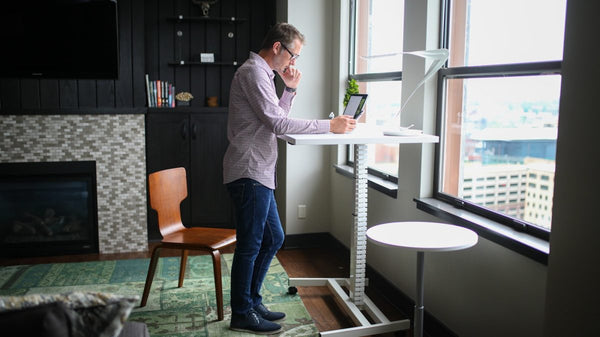
- Consider a Standing Desk: Alternating between sitting and standing throughout the day can significantly reduce static load on your spine.
- Use a Posture Reminder App: Many apps can give you gentle nudges to correct your posture or take breaks.
- Listen to Your Body: If you feel discomfort or pain, adjust your position, take a break, or stretch. Don’t push through pain.
Common Mistakes to Avoid:
- Slouching: The most common culprit! Always be mindful of your posture.
- Static Sitting for Too Long: Even good posture won’t save you if you sit for hours without moving.
- Ignoring Early Pain: A small ache can turn into chronic pain if not addressed.
- Poor Chair Choice: Not all chairs are created equal. Invest in an ergonomic chair if possible.
Key Takeaways: How to Avoid Back Pain From Sitting All Day
- Good posture is fundamental for preventing back pain.
- Regular movement breaks are non-negotiable for spinal health.
- An ergonomically set up workspace supports your body’s natural alignment.
- Strengthening your core and staying active outside of work builds a resilient back.
- Hydration and diet contribute to overall spinal health.
Frequently Asked Questions
What is the easiest way to How to Avoid Back Pain From Sitting All Day?
The easiest and most impactful way is to combine proper posture with frequent movement breaks. Simply setting a timer to stand up and walk for 1-2 minutes every hour can make a significant difference in preventing stiffness and pain.
How often should I take breaks when sitting all day?
Aim to take a short break (1-5 minutes) at least every 30-60 minutes. During these breaks, stand up, walk around, or perform a few gentle stretches. This helps maintain circulation, reduce muscle fatigue, and keep your spine moving.
Can my office chair really make a difference in avoiding back pain?
Absolutely. Your office chair is a critical tool. An ergonomic chair with adjustable height, lumbar support, and armrests can significantly support proper posture and reduce strain on your back. If you spend many hours sitting, investing in a good quality chair is highly recommended to help you avoid back pain from sitting all day.
Conclusion
You don’t have to suffer from back pain just because your daily routine involves a lot of sitting. By implementing these practical strategies – focusing on good posture, taking regular breaks, optimizing your workspace, and staying active – you can effectively learn how to avoid back pain from sitting all day. Start with one or two changes and gradually build healthier habits. Your back will thank you!
Looking for more inspiration? Explore the full Mavigadget Gift Ideas Collection for creative solutions.
Filed under
Written by
Cloe
Health & Fitness, MaviGadget
Cloe writes for the MaviGadget Journal, testing the gadgets that promise to change your day and reporting honestly on the ones that actually do.