Studio Light LED Touch Smart Bathroom Mirror$299.95




Affirm can spread this over a longer stretch, often monthly. What they offer depends on a quick check when you choose them, so we cannot show it here. You will see the full plan, including any interest, before you agree to anything.
Splits into four payments on smaller orders, or monthly over a longer stretch on larger ones. Those longer plans can carry interest, anywhere from 0% to 36% APR depending on the plan. Shop Pay shows your exact terms before you agree.
Pay later is offered by PayPal, Affirm and Shop Pay, not by Mavigadget. Approval and the final terms are theirs, and each shows you the full plan, including any interest, before you confirm. Nothing here is a credit offer.
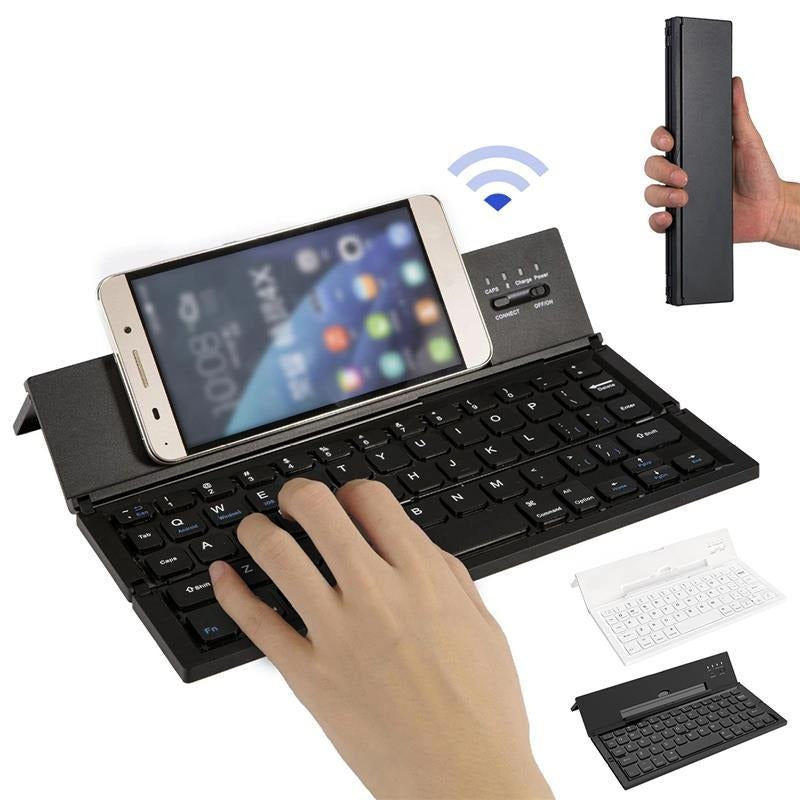
Portable Wireless Pocket Keyboard Phone Holder is a keyboards by Vesper, priced at $65.95. It is currently in stock . Mini BT wireless skateboard: Equipped with bracket, can fix and support your device, enabling you to use a tablet and smartphone with ideal perspective.Strong compatibility and stability: Support and easily switch to three operating system devices BT features Stable transmission, no delay, and always continuous onli...
Mini BT wireless skateboard: Equipped with bracket, can fix and support your device, enabling you to use a tablet and smartphone with ideal perspective.
Strong compatibility and stability: Support and easily switch to three operating system devices
BT features Stable transmission, no delay, and always continuous online.
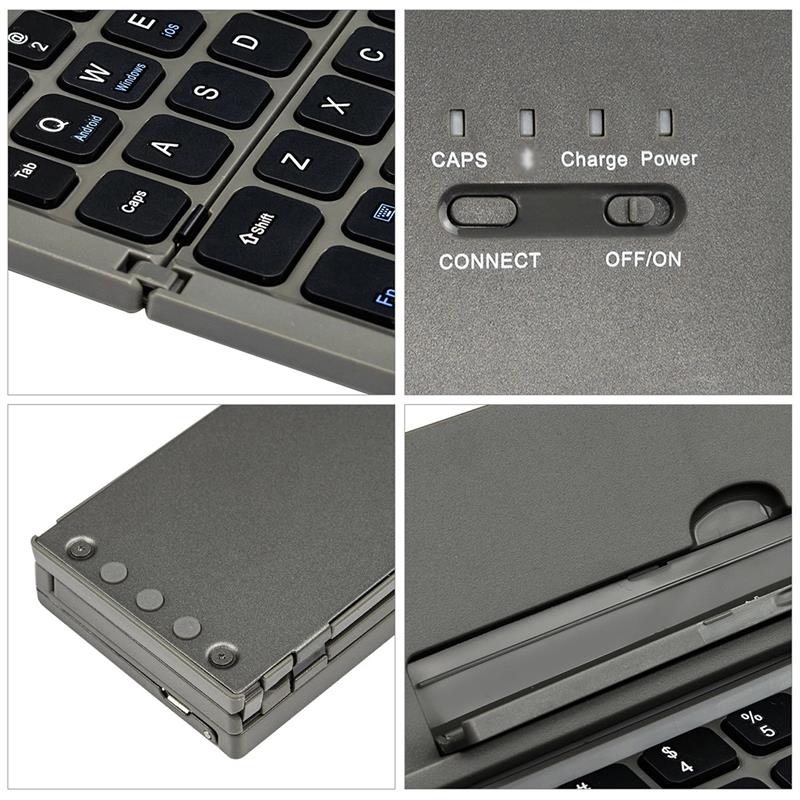
Aluminum alloy shell with bracket: Smooth surface, fashionable and luxurious.

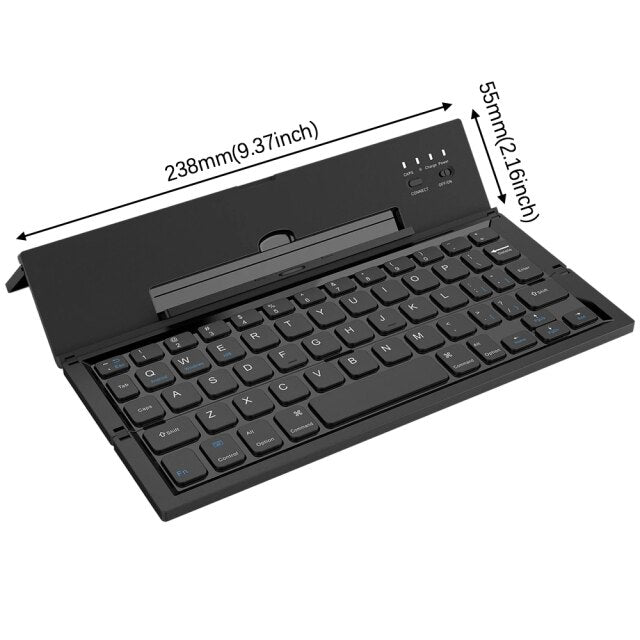
Portable design: Folded 238*55*18.5mm, easy to carry in pockets/backpacks/messenger bags/boxes.
BT keyboard connection method:
1. Turn on the keyboard power switch and the power indicator lights up.
2. Short press "Connect" (code key), the BT keypad pairing light starts to flash and the BT keyboard is in the connected tablet/phone.
3. Open the tablet/mobile phone and click the "Settings" icon. On the "Settings" button, click the "General" item to enter BT Settings.
4. When the tablet/phone finds the BT keyboard, click "Connect".
5. Use the BT keyboard to Enter the connection password that is displayed on the screen, and then press "Enter" to connect.
6. The keyboard is successfully connected, and the code indicator is off.
Specifications:
Battery: Changeable 180mAh lithium battery
Working Voltage: 3.7V
Material: ABS plastic
Color: Black, White (Optional)
Package List:
1 * BT Keyboard
We worked out free shipping with the brand, so it reaches you at no cost. Most orders leave within 48 hours and usually arrive in ~4-7 days, tracked the whole way.
Everything like this, side by side in Discover. Swipe right on the one you'd actually buy.
Ask the team or the community. Most questions get answered within 12 hours.


List it with Mavigadget and reach millions of shoppers. Brands and inventors — let's talk.
Gift it, unbox it, or join Plus — three more ways to MaviGadget.
One card, thousands of gadgets. Delivered by email, and it never expires.
Brand-name gadgets worth about double what you pay. Pick your size and vibe.
Member pricing, early access to drops, and perks. Join the inner circle.
We started in 2018 with one question: what if the most useful, weird, and beautiful things on the internet had one home? Six years later, that home is Mavigadget.
We don't make the products, we find the brands behind them. From Shark Tank and Kickstarter to makers in Germany, Japan, the Netherlands and the US, we hand-pick what's worth your time and bring it together in one place.

Affirm can spread this over a longer stretch, often monthly. What they offer depends on a quick check when you choose them, so we cannot show it here. You will see the full plan, including any interest, before you agree to anything.
Splits into four payments on smaller orders, or monthly over a longer stretch on larger ones. Those longer plans can carry interest, anywhere from 0% to 36% APR depending on the plan. Shop Pay shows your exact terms before you agree.
Pay later is offered by PayPal, Affirm and Shop Pay, not by Mavigadget. Approval and the final terms are theirs, and each shows you the full plan, including any interest, before you confirm. Nothing here is a credit offer.

One free account powers everything here.
or unlock with just your email